Managed EDR Deployment Timelines for Distributed Workforces
Real EDR deployment takes six weeks, not days, and unmanaged devices slip through the gaps.
Managed EDR deployment timelines for distributed workforces run two to six weeks in vendor literature, but that figure describes agent installation, not full protection. For resource-constrained SMBs trying to replace a traditional MSP relationship with something leaner, the real timeline is set by three predictable friction points: agent distribution, device inventory gaps, and detection tuning, and the platforms that compress those timelines are the ones that unify device management, identity, and endpoint defense into a single system rather than stitching three tools together after the fact.
SMB ransomware exposure
Ransomware does not pick targets at random, and small distributed companies sit higher on the risk curve than their size would suggest. The entry points attackers use are well understood: an exploited software vulnerability, a set of compromised credentials often bought from a broker after an earlier phishing campaign, or a phishing email that lands directly in an employee's inbox. All three routes are reachable from any remote endpoint, which makes a distributed workforce, by definition, a wider attack surface than a single office building with a locked front door.
Cyble's EDR Best Practices: 2026 Playbook for Deployment & Response makes a point that lean IT teams tend to underweight: EDR effectiveness depends on comprehensive asset inventory and phased deployment, and organizations that skip those steps are exposed in practice. SpyCloud's 2026 Identity Exposure Report backs that up with a hard number. 54% of infostealer-infected devices had antivirus or EDR installed at the time of compromise. Having the tool installed did not stop the infection, because how an EDR tool is deployed and managed decides whether it catches anything. Nearly half of credential-holding infected hosts, 46%, were entirely unmanaged, meaning EDR had no way to reach them by design. That is the real vulnerability for a distributed workforce: not an absence of tools, but incomplete visibility into which devices exist and whether each one is actually covered.
What "deployed" means for a distributed workforce
Installing an agent on a laptop is the easy part. A managed EDR deployment is not finished until behavioral baselines are established, detection rules are tuned to the organization's own traffic patterns, and every reachable endpoint, not just the obvious ones, is enrolled and reporting in. When the installer runs, lean teams often stop there and call it done. It is closer to the starting gun.
Cyble's 2026 Best Practices names the most common failure mode directly: rollouts stall because teams skip the asset inventory step. Nobody builds the inventory first, so coverage gaps appear by default in rollouts, not as bad luck. A mature deployment strategy starts with an endpoint inventory that records what each device does, who uses it, and what data or systems it can reach, beyond just a device name and an IP address. SentinelOne's enterprise EDR guidance describes what a production-ready deployment actually looks like: one agent installer that covers Windows, macOS, Linux, and VDI, cloud-native agents communicating over HTTPS, no per-platform forks, and no missing coverage.
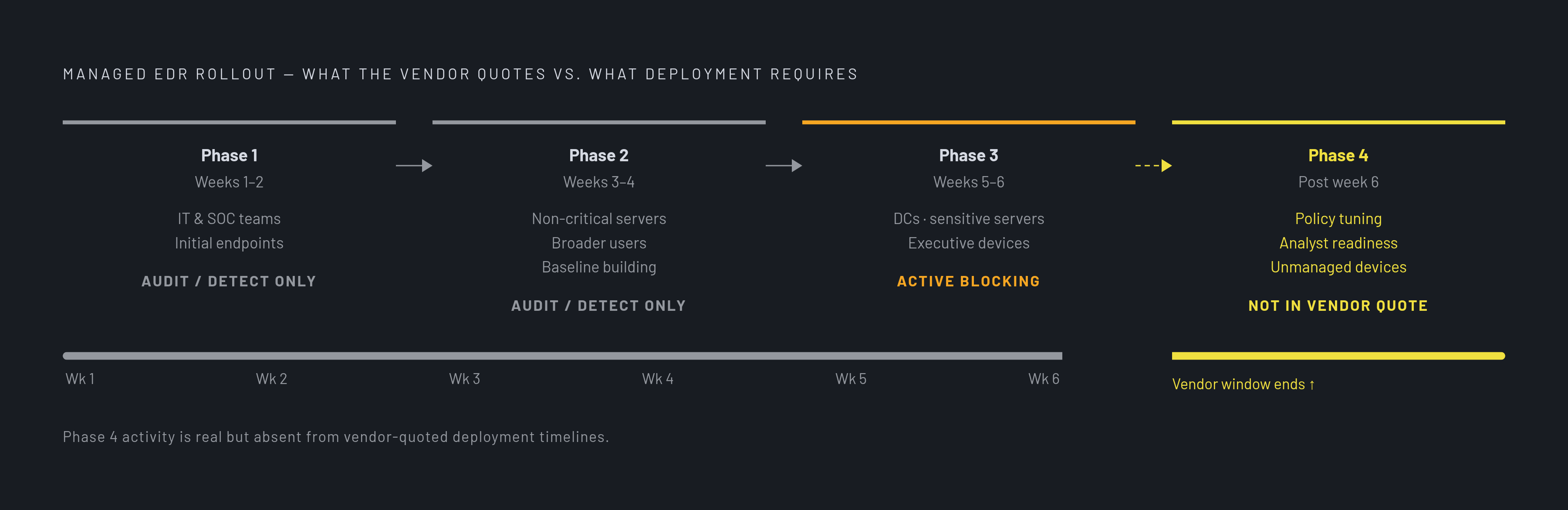
EDR requires an agent, and plenty of devices on a distributed network cannot run one, which is the hard limit that produces the gaps described below. Printers, IoT cameras, unmanaged BYOD laptops, legacy appliances, and guest devices fall outside EDR's reach. Vectra's NDR vs EDR: Evidence-based decision guide for 2026 calls this the structural assumption attackers are engineered to break, and the Akira ransomware case in that same guide shows what it costs: EDR blocked the Windows payload cleanly, so the attackers pivoted to an unmanaged Linux IP webcam that had no possible agent, mounted SMB shares from it, and encrypted files across the network anyway. The vendor-quoted window of two to six weeks for cloud-native EDR deployment covers only agent installation and baseline establishment. It says nothing about policy tuning, analyst readiness, or the unmanaged devices that sit outside that window.
What drives each phase of the deployment timeline
A well-run managed EDR rollout follows a four-phase structure, and the decisions you make before a single agent gets installed set most of the calendar. Cyble's 2026 EDR Best Practices lays out the schedule that most authoritative deployment guidance converges on. In weeks one and two, phase one deploys to IT and SOC teams first, covering a small initial share of endpoints and runs in audit, or detect-only, mode. Phase two, weeks three and four, expands to non-critical servers and broader user groups, still in audit mode, to build out a behavioral baseline for the environment. Phase three, weeks five and six, reaches domain controllers, sensitive data servers, and executive devices, and begins the transition to active blocking for high-confidence detections.
That six-week arc assumes clean execution. Organizations combining mobile device management (MDM) with EDR should plan on a longer window, because MDM has to inventory and enroll devices before any agent can go out at scale. SentinelOne's 2026 enterprise EDR guidance adds an architectural wrinkle to plan for ahead of time: distributed environments often need data aggregator nodes, or proxies, dropped into branch offices to bundle telemetry before it reaches the central console, so security data doesn't saturate a limited WAN connection. That is a decision that has to be made before rollout starts. Retrofitting it in week four means redoing work that should have happened in week zero.
The three friction points that extend timelines in distributed environments
For distributed workforces, deployment delays cluster around three friction points, and you can predict all three.
Agent distribution across remote endpoints is the first. Cloud-native agents communicate over HTTPS and need no VPN, so the agent reaches any device with an internet connection, which removes a bottleneck that used to be a real constraint. What remains is devices that are powered off for long stretches, rarely connected, or running an operating system the agent simply doesn't support. Those create coverage gaps that don't close on their own. They close only when someone addresses the device lifecycle behind them.
Device inventory gaps are the second, and they're the one Cyble's 2026 Best Practices flags most directly: skipping the asset inventory is one of the most common reasons a rollout stalls. The pre-deployment checklist the research covers spans workstations, servers, laptops, cloud workloads, virtual machines, and shadow IT, beyond the managed corporate devices that show up in a clean spreadsheet. SpyCloud's 2026 finding that 46% of credential-holding infected hosts were entirely unmanaged turns this from an operational inconvenience into a security problem: a gap in enrollment is a gap in protection, full stop. Legacy OS and OT/ICS devices that can't run an agent at all need compensating controls, like network segmentation and heavier logging, and you have to document those controls so insurance and compliance reviewers can check them later.
Detection rule tuning and alert fatigue make up the third friction point. Cyble's 2026 Best Practices is blunt that EDR effectiveness rests on asset inventory, phased deployment, and continuous tuning together, not on installing agents and walking away. Behavioral analysis throws false positives against ordinary business software until exclusion lists get built out. That is why the audit, or detect-only, mode in phases one and two exists: it lets the environment establish a behavioral baseline before active blocking in phase three starts disrupting legitimate work. Pilot testing and exclusion-list development take real calendar time, even when the agent installation itself goes fast. N-able's 2025 EDR coverage of its own platform points at global exclusion management as a feature built specifically to cut false positives and reduce disruption, which shows up as a shorter tuning phase when the capability works as intended.
Compressing the timeline before rollout
Every friction point above is addressable before rollout begins, and the teams that move through deployment fastest do it through preparation rather than speed. The device inventory should be complete before rollout starts, not built in parallel with it: Cyble's 2026 Best Practices specifies the scope as workstations, servers, laptops, cloud workloads, virtual machines, and shadow IT, with each entry recording what the device does, who uses it, and what it can reach. Unsupported systems need to be flagged ahead of time, too. Legacy OS, OT/ICS, and unmanaged devices all need compensating controls identified and written down before anyone attempts an install, because discovering an incompatible device mid-rollout is one of the most common sources of delay. You should check agent compatibility with OS versions and installed software in advance, and you should establish resource baselines on representative servers before deployment starts, because Cyble's 2026 guidance treats both as pre-deployment steps, not as fixes you apply after something breaks. Coverage goals deserve explicit definition before rollout, too: domain controllers, sensitive data servers, and executive devices are the phase-three priorities under the Cyble framework, and identifying them is work that can happen in week zero rather than week five. Finally, the audit mode duration in phases one and two is not optional scaffolding. If teams skip behavioral baseline establishment early, they get more false positives once active blocking starts in phase three, and that pushes the tuning phase well past the six-week target.
The gap between an agent installed and a deployment complete is where most SMBs lose the most calendar time, and it's also where technology-first platforms built for teams without dedicated security staff can compress things meaningfully. Zip Security, among other platforms aimed at lean IT teams, automates baseline establishment and policy tuning rather than requiring an analyst to hand-configure exclusion lists between phases, which shortens the distance between "installed" and "protected."
Coverage gaps and cyber-insurance underwriters
Cyber-insurance carriers now treat deployment completeness as a condition of coverage, not a nice-to-have. That turns a stalled EDR rollout from a security gap into a policy risk. Carriers increasingly require documented response service-level agreements as part of the policy itself: a 15-minute mean time to acknowledge and a 60-minute mean time to contain are established baselines. It is hard for any organization without a 24/7-staffed IT team to meet those numbers around the clock, so managed detection and response (MDR) gets described as the most direct way to satisfy continuous coverage requirements without building that staffing in-house.
Underwriters are not working from a general impression of an applicant's security posture. Application questionnaires ask specifically about endpoint coverage rates, and a partial deployment can void a claim tied to an incident that started on a device that was never enrolled. The documentation that speeds up deployment, the device inventory and the coverage-goal checklist, is the same evidence underwriters ask for at renewal. Building it once serves both purposes.
Integration between device management, identity, and EDR
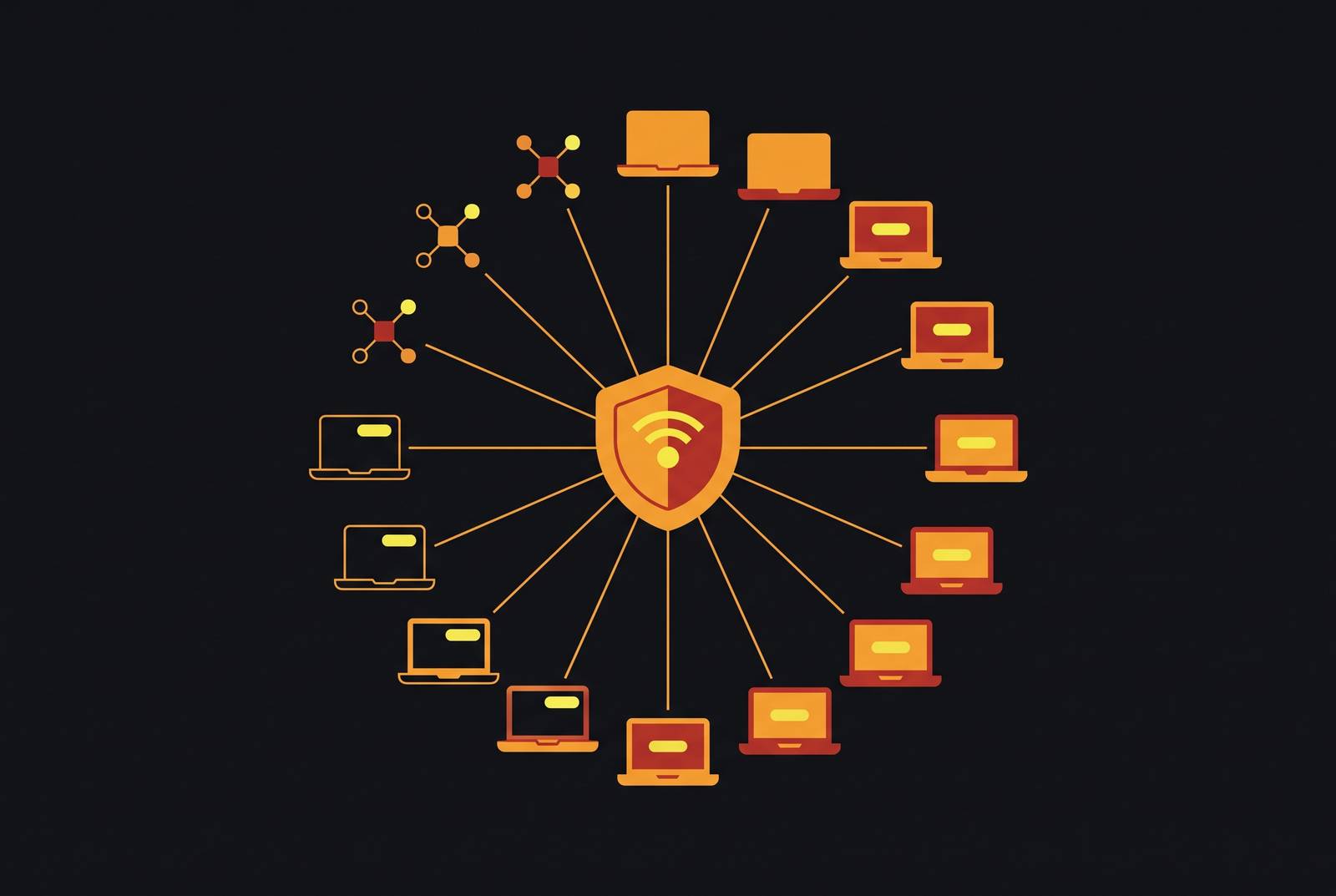
When device management and EDR run on separate platforms with separate inventories, you end up doing the pre-deployment work twice, and the coverage gaps that slow a rollout get harder to find. The research brief lays out a concrete version of this problem: during a breach, an MSSP detects an intrusion, but containment requires coordinated changes across MDM, identity, and EDR, three tools running separately, with two providers coordinating by email while an attacker keeps moving laterally through the network.
The same fragmentation that slows incident response also slows deployment, for the same structural reason. MDM has to inventory and enroll devices before EDR agents can go out at scale, and when MDM and EDR sit on separate systems with separate enrollment records, reconciling the two becomes a manual step added onto every phase of the rollout. SentinelOne's 2026 enterprise EDR guidance names centralized visibility as a core requirement for exactly this reason: one pane of glass showing every process, network connection, and registry change across every endpoint, regardless of operating system or network segment, with no separate consoles splitting Windows from Linux from remote workers. Cloud-native architecture addresses the distributed-workforce version of this problem directly, since agents enforce policy, record forensics, and block threats locally over HTTPS no matter where the device sits, with no VPN dependency and no assumption that the device is ever on a corporate network.
If you deploy across a distributed team, a platform that unifies device management, identity protection, and EDR under one enrollment record removes the reconciliation step that otherwise stretches every phase of the timeline. Zip Security's platform takes this approach by running device management, endpoint security, identity protection, and compliance automation as a single system, so the inventory that enables the EDR rollout is the same inventory enforcing policy across all four disciplines at once. The research brief frames the broader industry shift in similar terms: one provider delivering both operational IT and security operations under a single contract, with one vCIO or vCISO and one help desk, stands in direct contrast to the two-providers-coordinating-by-email model that slows down containment during an actual breach. For a lean IT team deciding what to replace a traditional MSP relationship with, that contrast, fragmented tools against a single unified record, is close to the whole decision.